

Understanding How to Add Binary Numbers
📊 Learn how binary addition works in computing and digital electronics! Understand basic rules, methods, and common errors with clear examples. 💻
Edited By
Charlotte Wells
Binary Coded Decimal (BCD) might sound a bit technical, but it’s a neat way to represent numbers that blends the binary system with decimal digits. For traders, investors, brokers, and finance students, understanding BCD is more than just a tech curiosity; it’s about grasping how computers and digital systems handle numbers behind the scenes—numbers that often translate directly into financial data.
In this article, we'll break down the basics of what BCD is and how it works. You’ll get a clear view of its different encoding styles and where it shows up in the real world, especially within digital systems tied to finance and computing. We'll also talk about why some systems prefer BCD over other formats and what downsides it carries.

By the end, you’ll see how knowledge of BCD can give you a sharper insight into computing processes that impact financial software, trading platforms, and data processing tools you might use daily. It's a practical topic that connects the dots between raw data and its everyday financial applications.
Understanding BCD isn't about memorizing tech jargon; it’s about knowing how numbers get a digital face, which helps make sense of the technology we rely on to manage money.
Let’s dive in and see what makes Binary Coded Decimal tick.
When dealing with numbers in digital form, especially in contexts like finance and trading where accuracy is key, Binary Coded Decimal (BCD) plays a significant role. Unlike pure binary numbers, which are efficient for computation but can introduce rounding errors in decimal calculations, BCD maintains decimal precision by encoding each digit individually. This is especially useful in fields where exact decimal representation is non-negotiable, such as accounting systems or financial ledgers.
Understanding BCD helps financial analysts and brokers interpret how certain systems handle decimal digits and why some systems prefer BCD over straight binary. For example, calculators often use BCD internally to avoid the tricky errors that come with floating-point arithmetic. In digital displays, BCD makes it easier to directly map digits to seven-segment displays without complex conversions.
Binary Coded Decimal is a numbering scheme where each decimal digit—0 through 9—is represented by its own binary sequence, typically in four bits. Instead of converting a whole decimal number into pure binary, BCD encodes each decimal place separately. So, the decimal number 45 becomes 0100 0101 in BCD, where 0100 represents 4 and 0101 represents 5. This helps in preserving the exact decimal number, which is crucial for precise applications.
BCD matters because it simplifies certain hardware and software operations. In finance or trading platforms, where every penny counts, any slight rounding due to floating-point representation can throw off calculations. BCD sidesteps this by keeping the decimal digits intact in binary form. This makes operations like addition and subtraction closer to how we naturally handle numbers.
Each decimal digit is encoded into a fixed-length binary sequence, usually four bits for the digits 0 to 9. Any number, regardless of its size, is then stored as a sequence of these four-bit groups. For instance, the number 1729 is represented as 0001 0111 0010 1001 in BCD. This direct one-to-one mapping allows devices like digital clocks or cash registers to display numbers without complex decoding steps.
One practical upshot is that BCD makes the design of digital displays more straightforward. For example, a seven-segment display used in stock tickers or calculators can directly receive BCD inputs, which correspond exactly to the digits to be displayed.
BCD has roots going back to the earliest days of computing in the mid-20th century. Before floating-point and complex binary arithmetic took hold, engineers needed a way to accurately represent human-readable numbers for business and scientific calculations. Early machines like the IBM 650 used BCD to handle input and output of decimal numbers precisely without resorting to complex binary conversions.
The development of BCD came from the need to bridge human-friendly decimal systems and machine-friendly binary logic. This approach allowed early computers to perform arithmetic operations aligned with real-world numeric representations, reducing errors and simplifying programming at a time when machines had very limited memory and processing power.
Early use of BCD was essential for financial institutions and businesses relying on accurate ledger entries and calculations. Systems processing transactions couldn't afford the inaccuracies that come with floating-point binary approximations. BCD made it possible to handle money values exactly, which is still a tricky problem today.
Additionally, BCD simplified the interfaces between the computing system and output devices, such as printers and displays. Given the hardware constraints back then, this coding scheme was a practical choice. Even as processors evolved, some still provide BCD arithmetic instructions precisely because of these legacy needs.
For anyone working with financial data or digital systems that represent money, understanding BCD isn't just a historical curiosity—it's a foundation for managing decimal data correctly and reliably.
In summary, the introduction to BCD sets the stage for appreciating why this method remains relevant. Its combination of accuracy, simplicity, and historical grounding explains its continued use in targeted applications despite the prevalence of more complex number formats today.
Understanding the basics of Binary Coded Decimal (BCD) representation is fundamental for anyone working with systems where decimal numbers must be handled accurately, especially in finance and trading applications. BCD bridges the gap between human-friendly decimal numbers and the binary operations of computers, ensuring precise data processing without the rounding errors that sometimes creep in with pure binary formats.
The core principle behind BCD is that each decimal digit (0 through 9) is represented individually by a fixed group of bits, usually four. This means the decimal number 5, for example, is encoded as 0101 in BCD. By encoding digits separately, calculations that involve decimal numbers become easier to control and less prone to errors that arise from pure binary conversion. For instance, in financial software managing currency values, it’s vital that 0.10 plus 0.20 equals exactly 0.30, and BCD supports this accuracy neatly.
Unlike pure binary, which represents a number as a whole in base 2 (for example, decimal 9 is 1001 in binary, and decimal 10 is 1010), BCD encodes each digit separately, so decimal 10 would be stored as two chunks: 0001 (1) and 0000 (0). This avoids the rounding issues common in binary fractions and makes display conversion straightforward. However, pure binary is more compact and faster for computation, but it can introduce small precision errors especially when dealing with decimal fractions. BCD sacrifices storage efficiency for accuracy—an important tradeoff in certain applications.
Packed BCD stores two decimal digits in a single byte by using four bits for each digit. For example, the decimal number 42 would be 0100 0010 in packed BCD. This format is space-saving and commonly used when memory or bandwidth matters but decimal fidelity can't be compromised, such as in embedded systems for point-of-sale machines. Since two digits share a byte, it’s more efficient than unpacked formats, but you need extra handling when manipulating numbers.
In unpacked BCD, each decimal digit is stored in a separate byte, often with the upper four bits set to zero. So, the decimal 42 would be 00000100 00000010. This layout simplifies processing as each byte corresponds to one decimal digit, easing software and hardware interface design. Unpacked BCD can be more straightforward for arithmetic operations on some microcontrollers, despite using more memory. It’s often seen in older calculators and digital clocks where simplicity beats compactness.
Whether you choose packed or unpacked BCD depends on your system’s needs for speed, memory, and accuracy. Traders and financial analysts rely heavily on BCD for accurate decimal computations, especially when tiny errors could snowball into costly mistakes.
Grasping these basics helps demystify how BCD functions under the hood, paving the way for deeper insights into its practical uses and limitations in modern computing and digital finance systems.
When dealing with Binary Coded Decimal (BCD), understanding the different types helps clarify how decimal digits are encoded and interpreted in digital systems. These BCD types aren't just abstract concepts; they have practical consequences on how devices like calculators, digital clocks, and even financial systems handle numbers.
Each BCD type has its own coding pattern with distinct advantages and trade-offs. Selecting the right type affects everything from hardware simplicity to the ease of error detection. Below, we'll walk through the two main categories: the widely used 8421 BCD code and other variations like the Excess-3 and weighted codes.
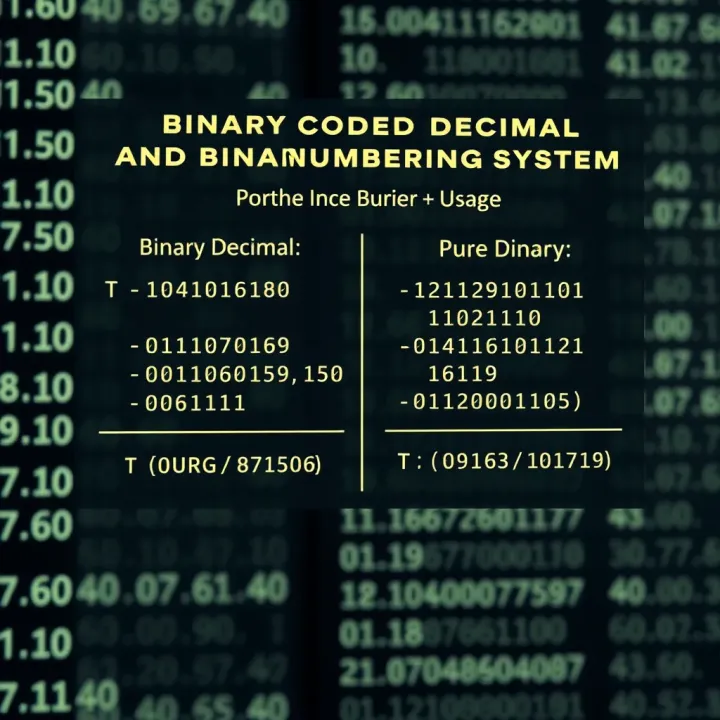
The 8421 BCD code is the classic and most straightforward form of BCD. Each decimal digit from 0 to 9 is represented by a 4-bit binary number where the bits have weights of 8, 4, 2, and 1. This weighted system directly maps to the decimal place values, making it relatively simple to program and decode.
In practical terms, 8421 BCD is used extensively in devices where you need to display decimal numbers accurately without converting back and forth between binary and decimal repeatedly. For instance, digital counters and basic calculators use 8421 because it keeps the hardware design simple and helps maintain decimal accuracy.
To illustrate, the decimal number 5 in 8421 BCD is represented as 0101: (0×8 + 1×4 + 0×2 + 1×1 = 5). Similarly, the digit 9 appears as 1001.
For a two-digit decimal number, say 47, the encoding would be two separate 4-bit groups: 0100 (4) and 0111 (7), so 47 in BCD is 0100 0111.
This direct correspondence with decimal digits makes the 8421 system a no-nonsense way to encode numbers, which is why it's so popular in early computing and many embedded systems.
BCD isn’t limited to just the 8421 form. Other variants provide different benefits and sometimes simplify error detection or arithmetic operations.
Excess-3 code is a self-complementing BCD variant, which means it makes subtraction and addition simpler in some cases. Instead of coding decimal 0 as 0000, Excess-3 adds 3 to each decimal digit before encoding. For example, 0 in decimal is coded as 0011 (3 in binary).
This code helps in detecting errors and simplifies some arithmetic operations because the complement of a number (used in subtraction) is easier to find without extra steps. Financial systems or older calculating machines that demanded error detection might choose Excess-3 for these reasons.
Weighted codes like 4221 assign different weights to each bit, such as 4, 2, 2, and 1, as opposed to the traditional binary weights in 8421. These codes are rare but have seen use in specific applications where error detection is critical or hardware constraints vary.
For instance, a 4221 code might help catch invalid digit representations since not every 4-bit combination is valid. Some legacy punch card or telecommunication equipment experimented with such codes to improve reliability at low hardware cost.
In summary, understanding these BCD types equips you with a clearer picture of the trade-offs and design choices engineers make when building devices that display or calculate decimal numbers digitally. The choice isn’t just about coding but about how seamless, accurate, and efficient number handling should be in real-world use cases.
Binary Coded Decimal (BCD) plays a significant role in digital electronics because it bridges the gap between the binary world of computers and the decimal system that humans use every day. When dealing with digital displays, timers, calculators, or financial data processing, BCD simplifies the conversion between binary signals and readable decimal output. This is especially useful in systems where precision and clarity in numeric representation are crucial, such as in banking terminals or stock market tickers.
Seven-segment displays, those familiar numeric readouts seen on devices like gas pumps or digital clocks, rely heavily on BCD. Each decimal digit from 0 to 9 is encoded in BCD, which is then converted into signals that light up the specific segments required to display that digit. This straightforward mapping keeps things efficient and avoids the complexity of translating pure binary numbers, which wouldn’t correspond as naturally to decimal digits. For example, a BCD-coded value of 0101 represents the decimal digit 5, which the display controller knows as lighting the middle horizontal and bottom right segments.
Using BCD for seven-segment compatibility means circuits can easily drive these displays without complicated binary-to-decimal conversion algorithms. This makes it a favorite choice for embedded electronics where simplicity and speed matter.
Calculators and digital clocks similarly benefit from BCD’s simplicity. These devices constantly process decimal numbers—think of someone punching numbers into a calculator or reading time—and presenting them accurately on a display. BCD allows the internal microcontroller to handle these values as digits in binary form without extra overhead.
For instance, when adding numbers on a calculator, the digits are stored in BCD, so they directly correspond to the display output. This direct mapping cuts down processing time and errors that might arise if pure binary math with decimal conversion was done repeatedly. In digital clocks, the division into hours, minutes, and seconds stays intuitive in BCD, making adjustments like incrementing a digit or resetting seconds straightforward.
Adding numbers in BCD is not as straightforward as binary addition. Since each nibble (4-bit chunk) represents a decimal digit, results that produce a binary equivalent above 9 aren’t valid decimal digits. This requires a correction step after adding two BCD digits.
Here's the catch: after adding, if the 4-bit sum is greater than 1001 (decimal 9), you add 6 (0110 in binary). Why? Because adding 6 corrects the binary sum back into a valid BCD number by accounting for the decimal carry-over, straightening out the “weird” binary values that are technically invalid in BCD logic.
This correction technique ensures that BCD arithmetic operations yield accurate decimal results, which is why calculators, cash registers, and other numeric devices use it.
Some processors, like the Intel 8086 and earlier x86 CPUs, include dedicated BCD arithmetic instructions. These make working with BCD values simpler without manually implementing correction logic in software. The CPU natively supports addition, subtraction, and decimal adjust instructions that account for the peculiarities of BCD representation.
Moreover, financial applications specifically benefit from BCD support in processors because rounding errors common to floating-point binary arithmetic are avoided. When dealing with money, where every cent counts, BCD ensures exact decimal precision. For example, IBM mainframes have long supported packed decimal formats for this exact reason.
In short, BCD’s role in digital electronics combines the accuracy of decimal representation with the speed and convenience of binary operations—particularly vital in finance and consumer devices.
By understanding how BCD integrates into displays and arithmetic operations within processors, investors and traders can appreciate the technology behind devices they use daily, knowing these systems were designed to keep decimal numbers precise and error-free.
Understanding the pros and cons of Binary Coded Decimal (BCD) is key for anyone dealing with digital systems, especially in finance and computing fields. BCD offers a straightforward way to handle decimal numbers in a binary environment, but it comes with trade-offs that can affect performance and storage. Let’s break down why BCD is still relevant and where it might fall short.
BCD shines when precise decimal representation is needed. Unlike floating-point binary formats, BCD avoids rounding errors that often creep into financial calculations. For example, when calculating currency values or interest rates, BCD ensures the decimal fractions are exact, maintaining integrity in sensitive data. This precision can mean the difference between accurate profit reporting and discrepancies that eat away at stakeholder trust.
One of the biggest perks of BCD is how easily it translates to human-readable numbers. Since each nibble (4 bits) corresponds directly to one decimal digit, converting from BCD to a display format like seven-segment is a breeze. Think of how calculators or digital clocks work: they take BCD inputs directly and drive the display segments without extra conversion overhead. This simplicity can reduce the design complexity and boost reliability in embedded systems used in retail or banking terminals.
BCD wastes memory because it uses four bits for each decimal digit, while pure binary could pack higher values into fewer bits. For instance, storing the number 99 in binary requires only 7 bits, but BCD needs 8 bits (two groups of 4 bits). This inefficiency can add up in large databases or systems where storage space is at a premium, like in old embedded devices or certain microcontrollers.
Arithmetic with BCD isn’t as straightforward as with binary integers. Processors often need special correction steps after addition or subtraction to keep the result in valid BCD form. This adds overhead and slows down calculations, which might be noticeable in data-heavy applications like real-time trading platforms. The extra computing time and complexity can make BCD less appealing when speed matters more than exact decimal form, especially when modern floating-point processors can handle most financial calculations adequately.
Despite its disadvantages, BCD remains widely used in areas where decimal accuracy and display convenience outweigh storage and speed concerns. Finance applications, cash registers, and digital clocks are classic examples where BCD’s benefits come in handy.
In the next sections, we’ll explore how modern systems manage or work around these limitations, balancing BCD’s strengths with other numeric formats.
Binary Coded Decimal (BCD) hasn't lost its foothold in today's computing systems, especially where precision in dealing with decimal data is critical. Despite the prevalence of binary and floating-point formats, BCD still plays a key role, particularly in fields like finance and business where exact decimal representation is non-negotiable.
Many modern processors, including Intel’s x86 family and IBM mainframes, provide built-in support for BCD arithmetic through specific instructions. These instructions speed up operations like addition, subtraction, and adjustment directly on BCD data without converting to pure binary, which can introduce rounding errors. For example, the Intel DAA (Decimal Adjust AL after Addition) instruction is designed to correct results of BCD additions automatically. This practical feature keeps calculations accurate and efficient in financial software where accuracy down to the last decimal is necessary.
Processors with this support simplify the programmer's work, allowing direct manipulation of BCD values without elaborate software routines. It also helps maintain backward compatibility with legacy financial applications written decades ago, ensuring smooth operation on modern hardware.
BCD's exact decimal representation makes it the go-to choice in financial applications like banking software, accounting systems, and point-of-sale terminals. Here, even the tiniest rounding error can lead to significant discrepancies when dealing with large sums or high-frequency transactions.
For instance, interest calculations, tax computations, and currency conversions benefit greatly from BCD. Quantum Leap Financial Services, a fintech startup, relies heavily on BCD-coded data for its transaction processing backend to stave off floating-point imprecision. The adaptability of BCD in handling decimal fractional values without glitches keeps audits clean and compliant with regulatory standards.
Floating point format, especially IEEE 754 standard, is the most common way modern computers represent real numbers. It’s great for scientific and engineering calculations that cover a vast range of values. But it falls short in exact decimal representation, often causing rounding errors in financial contexts.
While floating point numbers shine where performance across broad numerical scales is needed, their small inaccuracies make them unsuitable for precise financial reporting. This is why traders and financial analysts often steer clear of floating-point arithmetic for money calculations and lean on BCD or specialized decimal types.
Binary integer-coded decimal (BICD) is another alternative worth mentioning. It stores decimal digits as binary integers rather than encoding them in separate nibbles as in traditional BCD. This system aims to combine BCD’s decimal accuracy with more efficient storage and processing.
BICD is less common but gaining traction in specialized processors and software libraries designed for fast decimal arithmetic. Companies like Oracle have integrated decimal data types that behave somewhat like BICD within their database systems to optimize financial computations.
For those in trading or finance fields, understanding BCD’s place alongside these alternatives helps choose the right tool for handling numerical data accurately and efficiently.
In summary, while floating point and other coding schemes have their spots, BCD continues to matter in modern computing, especially where exact decimal output is mandatory. Carefully leveraging processor support and understanding alternatives keep your calculations on point and regulatory ready.
Converting between decimal and Binary Coded Decimal (BCD) is a necessary skill, especially when dealing with systems where numerical accuracy and readability matter, such as financial applications. This conversion allows software and hardware to represent human-friendly numbers in a format easier for digital circuits to manipulate while avoiding the rounding errors often linked to pure binary representations. Traders and financial analysts often deal with this behind the scenes; understanding the conversion process helps when troubleshooting or optimizing systems.
Manual conversion from decimal to BCD involves taking each decimal digit and converting it into its 4-bit binary equivalent. For example, the decimal number 59 gets broken down into two digits: 5 and 9. The digit 5 is represented as 0101 in BCD, and 9 as 1001. So, the BCD for 59 is written as 0101 1001. It’s like translating each digit of the number individually rather than converting the entire number into binary at once.
This method is straightforward and useful when learning or verifying smaller values. It emphasizes that BCD holds the decimal digits separately but encodes them in a compact binary form. For instance, while decimal to integer binary conversion can make 59 look like 111011, BCD keeps digits in blocks of four bits.
Reversing the process is equally direct: each 4-bit BCD code corresponds to a digit 0-9. Take 0110 0011, which breaks into 0110 (6) and 0011 (3), giving us the decimal number 63. If any 4-bit segment exceeds the binary value of 1001 (decimal 9), the number isn’t a valid BCD digit and indicates an error.
This reverse method is practical for displaying BCD numbers as readable decimal values, particularly for devices like digital clocks or calculators where binary is not user-friendly. It clarifies how data gets presented after internal processing.
Modern programming languages often include built-in tools or libraries for BCD conversion. For example, in Python, you might find or write functions that take an integer and return a string representing its BCD equivalent, or decode a BCD input back to decimal.
Here’s a quick Python snippet for decimal to BCD conversion: python def dec_to_bcd(n): bcd = '' for digit in str(n): bcd += format(int(digit), '04b') return bcd
print(dec_to_bcd(45))# Output: 01000101
Such automated methods save time and reduce errors, making them great for large datasets or embedded systems programming.

#### Hardware converters

On the hardware side, microcontrollers and digital ICs often include circuits designed to convert between decimal and BCD automatically. This offloads the task from the processor and speeds up calculations, especially in financial or trading terminals where large volumes of decimal data get processed rapidly.

For instance, Intel’s 8086 processors have specific instructions for BCD arithmetic, and dedicated BCD encoder/decoder ICs (like the 74LS47) facilitate direct conversion for display drivers. Investing in understanding these hardware tools pays off in designing efficient systems that manage decimal data without the overhead of complex binary conversions.

> Whether through manual calculation, software, or dedicated hardware, converting between decimal and BCD is essential for maintaining accuracy and efficiency in systems managing decimal data. Understanding these methods benefits anyone working at the intersection of finance and computing.

This section ties the earlier concepts of BCD representation and usage to practical tools and methods, making the knowledge immediately applicable for real-world tasks in data processing and digital electronics.

## Common Mistakes and Misunderstandings About BCD

Understanding the common pitfalls about Binary Coded Decimal (BCD) is key for anyone who works with digital systems, especially in finance and trading where precision and clarity matter. Missteps here can cause errors in calculations and data representation, messing up financial analysis or automated trading systems without obvious warnings. This section sheds light on the typical mistakes around BCD to help you avoid those costly slip-ups.

### Mixing Binary and BCD Values

#### How to Identify Errors

A frequent error is confusing pure binary representations with BCD numbers. The easiest way to spot this is to check if each nibble (4 bits) in a value falls between 0000 and 1001 (0 to 9 decimal). Any nibble exceeding 1001 is a red flag indicating either a binary or corrupted BCD number. For example, the binary value `1010 1001` doesn’t make sense in BCD because '1010' equals 10 in decimal, which is invalid for a single BCD digit.

It’s crucial to perform these checks when processing financial data where small mistakes cascade quickly. Automated systems often contain validators to ensure that numbers tagged as BCD don’t contain values outside the 0-9 range per digit.

#### Examples of Common Pitfalls

- **Accidental interpretation:** When a system reads a BCD-coded number as a pure binary, calculated values can be severely off. For instance, the BCD number representing '45' is `0100 0101`. Interpreted as binary, this equals 69, which can mess up pricing or quantity info.
- **Mixed calculations:** Some developers mix BCD and binary calculations unintentionally, causing mismatched results. One known scenario involves adding BCD numbers but applying binary addition without BCD correction, resulting in invalid intermediate values.
- **Data entry confusion:** Manual input interfaces sometimes accept binary values where BCD is required, especially in older financial calculators or embedded systems; this is a recipe for data corruption.

### Misapplying BCD in Systems

#### Limitations in Applications

BCD isn’t a one-size-fits-all solution. Its biggest limitation is that it wastes storage — it uses four bits for a decimal digit that could compress better in pure binary. Especially in high-frequency trading platforms, where speed and data size are everything, BCD can introduce unacceptable performance lags.

Furthermore, arithmetic operations with BCD often need extra steps compared to pure binary (like correction after addition), potentially slowing down computation. This can be a bottleneck in large-scale financial simulations or real-time data analysis systems where speed is non-negotiable.

#### When BCD is Not the Best Choice

Avoid BCD if you are dealing with complex floating-point operations, such as interest calculations involving fractions or derivatives trading, where floating-point representation is more efficient and precise.

Use BCD mainly when exact decimal representation is necessary—examples include accounting software, invoicing systems, and digital displays for prices. In contrast, big server-side computations for algorithmic trading generally benefit from binary floating point units due to their speed and efficiency.

> **In summary:** BCD serves well in systems emphasizing human-readable decimal data but often falls short in environments demanding high-speed, complex arithmetic.

By recognizing these common errors and understanding where BCD fits, finance professionals and system designers can choose the right tools for the job and avoid headaches down the line.

## Practical Examples and Demonstrations

When learning about Binary Coded Decimal (BCD), seeing theory put into practice makes all the difference. Practical examples and demonstrations help turn abstract concepts into clear, workable understanding — especially for traders, analysts, and finance students who often deal with precise decimal numbers. By walking through actual circuits and code, you get a better grip on how BCD functions in the real world, which can be critical when designing or troubleshooting digital systems that handle decimal data.

### Simple BCD Circuits

#### Using BCD to Drive a Display

One common, hands-on example involves using BCD to drive digital displays like seven-segment LED panels. Each decimal digit is converted into a 4-bit BCD value, which directly controls the segments lighting up on the display. This method is straightforward because BCD simplifies the link between binary data and human-readable decimal output.

For instance, calculators rely on this technique; the BCD code for each digit lights the appropriate segments to show numbers on the screen instantly. This reduces errors in display conversion and makes the design process more efficient. Understanding how to wire these BCD outputs can offer insight into digital electronics and embedded system design, useful for anyone looking to get hands-on with numeric displays.

#### BCD Adders and Comparators

Beyond displays, BCD arithmetic circuits like adders and comparators demonstrate how BCD operates beyond mere representation. BCD adders perform decimal digit addition in BCD format, but since adding two 4-bit BCD digits can exceed 9, they require a correction step (usually adding 6) to keep results valid.

These circuits highlight the nuance of working with decimal numbers in binary form and show why BCD is preferred in systems where decimal accuracy matters, such as financial calculations. Comparators using BCD can check digit equality or order, useful in sorting or error checking. Knowing how these components function is great for developing more complex applications like digital cash registers or banking devices.

### Programming with BCD Data

#### Handling BCD in Assembly Language

Programming directly with BCD data is common in low-level assembly language, where you control CPU instructions closely. Many older processors, for example the Intel 8086 family, include instructions like `DAA` (Decimal Adjust after Addition) to handle BCD arithmetic cleanly.

When you add two BCD numbers using these instructions, the processor adjusts the result automatically, so the result stays within valid decimal ranges. This is essential for accurate calculations in embedded financial devices, trading machines or any numeric processing application where binary rounding errors can't be tolerated.

#### Practical Coding Examples

Consider a simple example: adding two decimal digits stored as BCD in registers. In x86 assembly, after the addition, the `DAA` instruction ensures the sum remains a valid BCD number. Without this adjustment, results can look nonsensical if interpreted as decimal.

assembly
mov al, 0x15  ; BCD for decimal 15
add al, 0x27  ; add BCD 27
daa           ; adjust result to valid BCD (42 in decimal)
This snippet shows how carefully working with BCD at the instruction level keeps computations precise — a must-have skill for finance-related programming and hardware-level numeric controls.
Understanding and using BCD practically, whether by building simple display circuits or programming arithmetic routines, gives valuable perspective on why BCD is still relevant in finance and digital electronics. It bridges the gap between binary digital processing and human-friendly decimal numbers nicely.
In sum, these examples and demos cut through complexity and let you see BCD in action, reinforcing learning and practical understanding for anyone working with digital decimal data.
📊 Learn how binary addition works in computing and digital electronics! Understand basic rules, methods, and common errors with clear examples. 💻
Learn how binary addition works 🔢 from rules to step-by-step methods, addressing challenges and its key role in computing technology 💻.
Learn how to convert decimal 10 to binary with easy steps and tips. Perfect for students and pros working with digital systems 💻🔢

Explore binary charts 📊 with practical tips on creation, interpretation, and tools. Learn how they apply in computing, electronics, and data analysis across industries.
Based on 9 reviews